Debugging things
You can either run each function on demand and see any output directly in the Lambda test window, or dig into your cloudwatch logs for each function.
Original article was posted on Boro2g Blog: Pub sub in AWS Lambda via SNS using C#


March 21, 2018
AWS Lambda’s are a great replacement for things like Windows Services which need to run common tasks periodically. A few examples would be triggering scheduled backups or polling urls. You can set many things as the trigger for a lambda, for scheduled operations this can be a CRON value triggered from a CloudWatch event. Alternatively lambda’s can be triggered via a subscription to an SNS topic. Depending on the type of operation you want to perform on a schedule you might find it takes longer than the timeout restriction imposed by AWS. If that’s the case then a simple PUB SUB (publisher, subscriber) configuration should help.
We want to move databases backups between 2 buckets in S3. There are several databases to copy, each of which being a large file.
In one lambda you can easily find all the files to copy but if you also try to copy them all at some point your function will timeout.
Why not setup 2 lambda functions? One as the publisher and one as the subscriber, and then glue the two together with an SNS topic (Simple Notification Service)
Typically this would be triggered from a schedule and would look to raise events for each operations. Lets assume we use a simple POCO for conveying the information we need:

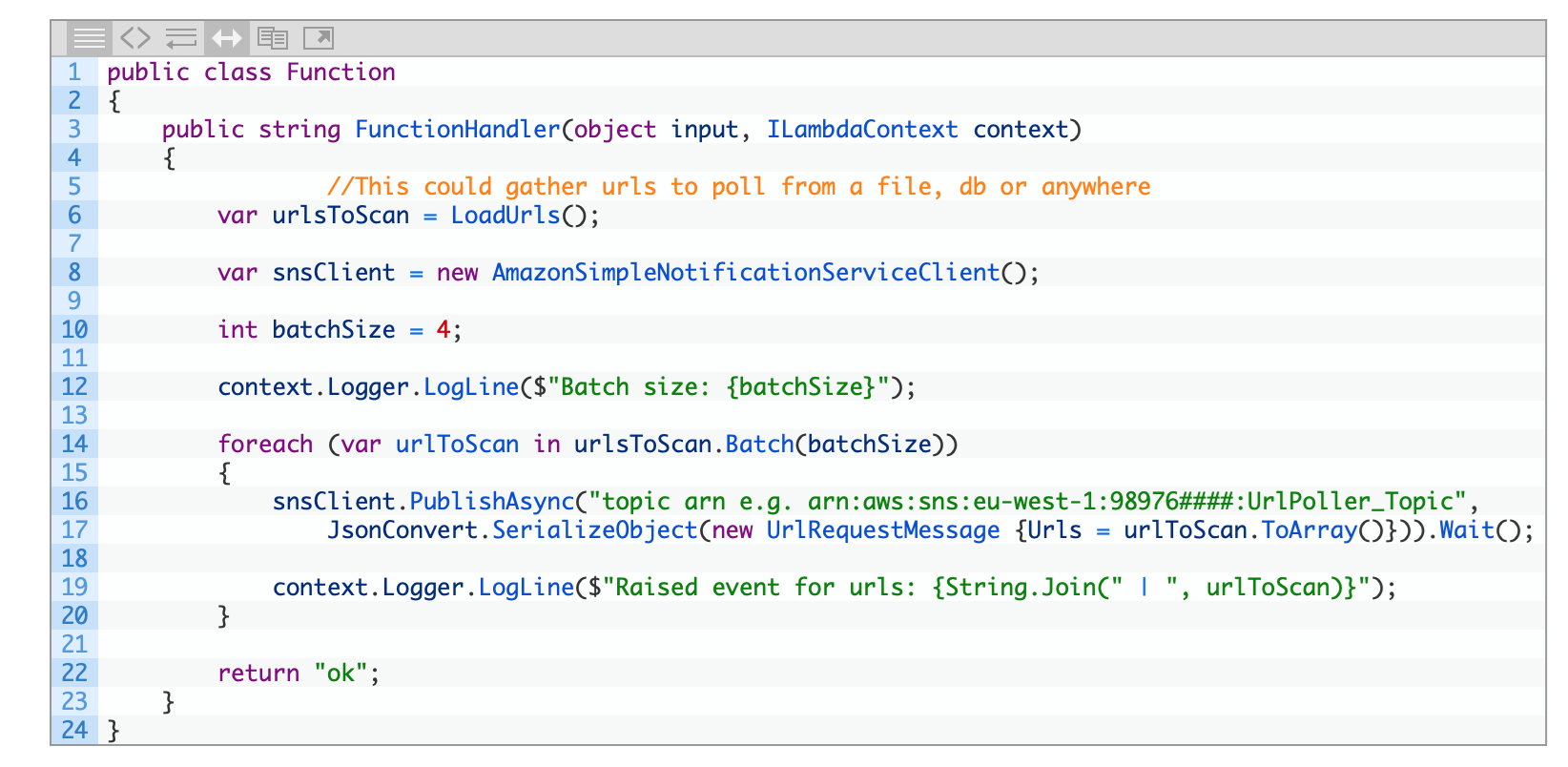
The batching can be ignored if needs be – in this scenario this allows multiple urls to be handled by one subscriber.
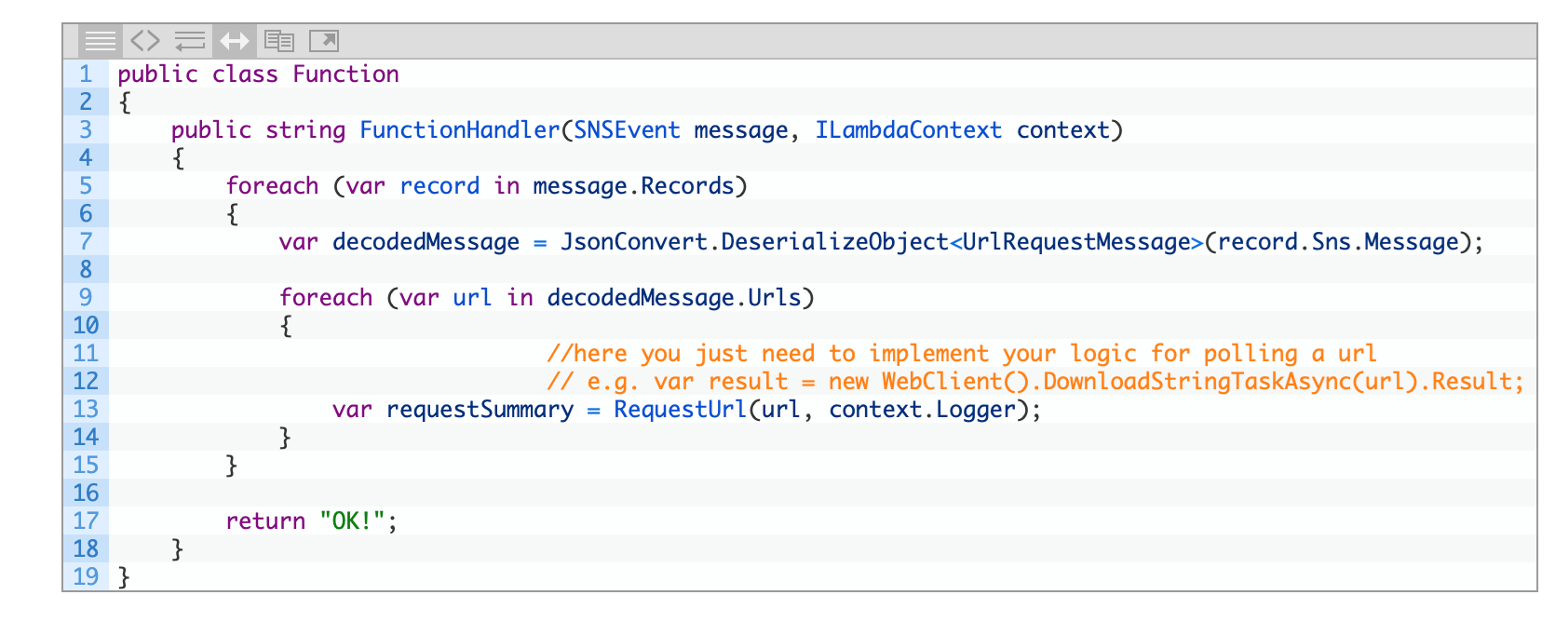
Next we need to listen for the messages – you want to configure the subscriber function to have an SNS trigger that uses the same topic you posted to before.
You can either run each function on demand and see any output directly in the Lambda test window, or dig into your cloudwatch logs for each function.
Original article was posted on Boro2g Blog: Pub sub in AWS Lambda via SNS using C#


