


December 22, 2018
Adding contact image in Sitecore 9 is pretty straight forward, you might come across the requirement where you have to update the contact profile image in xProfile based on contact social profile or custom image URL.
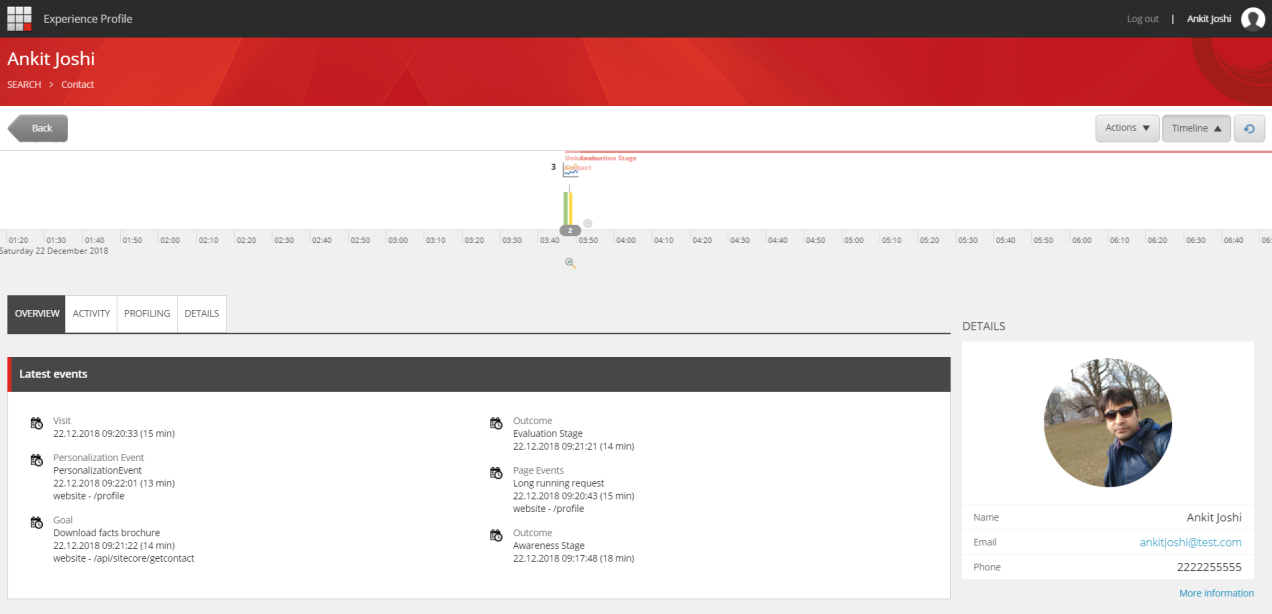 The code below can be used to set the profile image using Avatar Facet.
var trackerIdentifier = new
IdentifiedContactRfence("xDB.Tracker",Sitecore.Analytics.Tracker.Current.Contact.ContactId.ToString("N"));

using (XConnectClient client =
Sitecore.XConnect.Client.Configuration.SitecoreXConnectClientConfiguration.GetClient())

{
var contact=
client.Get<Sitecore.XConnect.Contact>
(trackerIdentifierSitecore.XConnect.ContactExpandOptions());

if (contact != null)
{
    var profileImageUrl = "profile URL comes here";
    var objWebClient = new
System.Net.WebClient();
   byte[] profileImageBytes =
objWebClient.DownloadData(profileImageUrl);
   string mimeType= "image/jpeg";
   client.SetFacet<Avatar>(contact,
Avatar.DefaultFacetKey, new Avatar(mimeType, profileImageBytes)
   {
       MimeType= mimeType,
       Picture= profileImageBytes
   });
   client.Submit():
}
}
Hope this helps!
Happy learning!
Article was originally published on Ankit Joshi's Sitecore blog: Add contact image to experience profile in Sitecore 9
There is a license error on this site:
To correct this error:
License has expired
The Web site remains functional, but this message will be displayed until the license error has been corrected.To correct this error:
- Ensure that you have a valid license file for the site configuration.
- Store the license file in the application directory.


